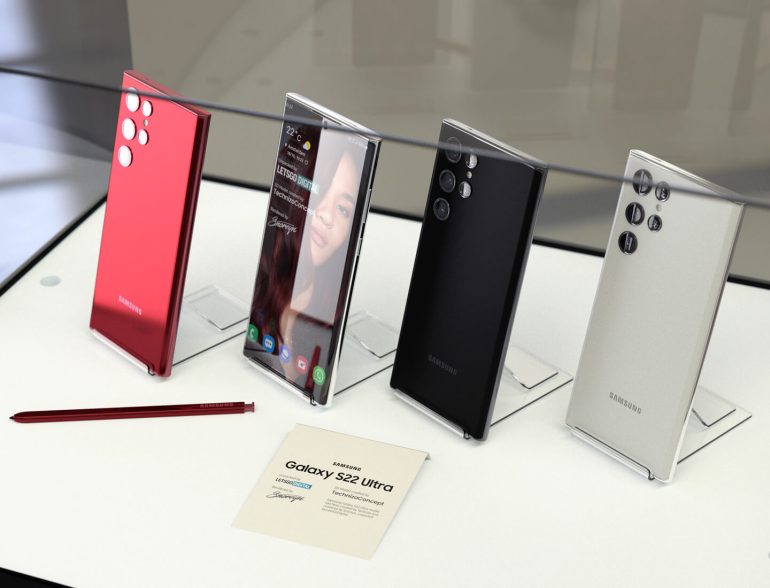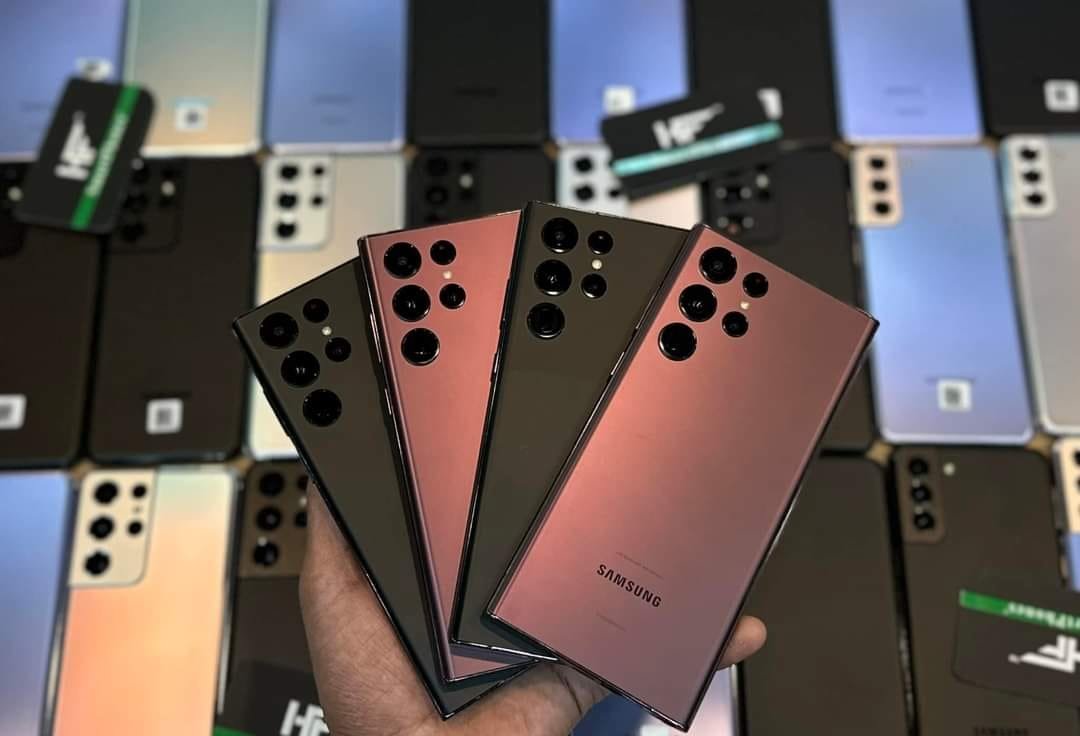
UK USED SAMSUNG S22 ULTRA WITH STYLUS PEN 


CRYSTAL FEATURES + FREE NATIONWIDE DELIVERY


N580,000 (CURRENT PROMO PRICE)

                            Samsung Galaxy S22 Ultra 5G-6.8β€³-12GB RAM, 128GB ROM 


IT COMES WITH A CHARGING CABLE & FREE NATIONWIDE DELIVERY. YOU ONLY PAY WHEN YOU RECEIVE THE ITEM . SO YOU HAVE NOTHING TO WORRY ABOUT, YOU ARE IN GOOD HANDS. 


Samsung Galaxy S22 Ultra S908U | 8GB 128GB | 12GB 256GB | 12GB 512GB Online  PTA | Physical + eSim | Only Phone | Pre-Owned Smartphones Price in  Pakistan - HF Store - HF Smartphones - HF Laptops


Description

πŸ”₯πŸ“± Samsung Galaxy S22 Ultra – Power Meets Perfection! πŸ“±πŸ”₯

Looking for a phone that defines class, speed, and camera excellence?
The Samsung Galaxy S22 Ultra (128GB) is here to blow your mind β€” and it’s going for just ₦580,000 😍

✨ Key Features:
βœ… 128GB Storage – Keep all your files, photos & videos
βœ… 12GB RAM – Super smooth performance
βœ… 108MP Pro Camera – Capture every detail in stunning clarity
βœ… S-Pen support – Write, draw & create effortlessly
βœ… Strong battery + super-fast charging
βœ… Premium glass design & 6.8” AMOLED display

πŸ’― Condition: UK Used – Neat & fully tested
🚚 Nationwide delivery available
πŸ›’ Price: ₦580,000 only!

Don’t miss this deal β€” limited stock available!
πŸ“© DM or WhatsApp πŸ“² 08130890222 to grab yours today!


Galaxy S23 Ultra– Samsung Mobile Press

DO YOU KNOW YOUR STYLUS PEN CAN DO THE FOLLOWING?

The Samsung Galaxy S22 Ultra’s S Pen opens up a wide range of possibilities for both creativity and productivity. Here are some special features you can explore with the S Pen:

1. Air Actions (Remote Control Functions)

  • The S Pen can be used as a remote control for your phone. You can perform tasks like:
    • Take pictures: Press the S Pen button to capture photos remotely.
    • Control presentations: Use the S Pen as a pointer and navigate slides in apps like PowerPoint.
    • Play/pause media: Press the button to control video playback.
    • Navigate through apps: Swipe or tap using the S Pen to control the interface without touching the screen.

2. Screen Off Memo

  • You can write notes directly on the screen without unlocking the phone. Just remove the S Pen, and start writing. It’s perfect for quick memos or jotting down ideas.

3. Air Command Menu

  • When you remove the S Pen, the Air Command menu pops up, offering several functions:
    • Create note: Quickly open a new note to start writing or drawing.
    • Smart select: Capture portions of the screen as images or GIFs for sharing or saving.
    • Screen write: Annotate screenshots.
    • Live messages: Create animated handwritten messages to share.
    • Translate: Point the pen at any text to translate it (useful for foreign languages).
    • Pen up: Create and explore drawings with the Pen Up app.

4. Note-taking & Drawing

  • The S Pen offers excellent precision for taking notes, drawing, or sketching in apps like Samsung Notes, Adobe Sketch, and others.
    • Handwriting recognition: Your handwritten notes can be converted into text.
    • Customizable brushes: In apps like Sketchbook or Photoshop, use the S Pen for detailed artwork with a variety of brushes.

5. Magnify & Select Text

  • Use the S Pen to highlight specific text or magnify parts of a document or webpage for better readability.

6. Edit Photos and Videos

  • In apps like Samsung Gallery or Adobe Lightroom, you can use the S Pen to make precise edits, such as drawing on photos or applying filters.

7. Gestures (Air Gestures)

  • The S Pen can be used to control your phone using air gestures, such as:
    • Swipe through photos
    • Switch between apps
    • Adjust volume or zoom

8. Quick Translate

  • When you highlight text using the S Pen in various apps or even on the web, the S Pen can translate it instantly, making it a handy tool for language learners or travelers.

9. Clipboard and Smart Select

  • You can copy content like text or images with the S Pen, and the clipboard feature will store these for later use. You can also create quick snippets or extract text from images using Smart Select.

10. Text & Photo Editing (in Samsung Notes)

  • The S Pen can help you edit documents, photos, and notes with high precision. You can adjust, annotate, or resize items with ease.

11. Create GIFs

  • Using the “Smart Select” feature, you can capture a portion of your screen and convert it into a GIF to share with others.

12. Signature & Document Signing

  • Use the S Pen to quickly sign digital documents without needing to print or scan anything. Apps like Adobe Acrobat support this feature, allowing you to sign contracts or forms on the go.

13. Voice Commands with S Pen

  • You can activate Bixby or control certain functions like opening apps by using voice commands when you hold down the S Pen button.

These are just a few examples of how you can make the most of your Galaxy S22 Ultra’s S Pen. With its precision, Bluetooth connectivity, and many customization options, the S Pen can really enhance both your productivity and creativity.

33%  DISCOUNT PROMO PRICE

N1,027,000

N580,000 (CURRENT PROMO PRICE)

BE AMONG THE FIRST 10 CUSTOMERS

ORDER NOW BY FILLING THE FORM BELOW!!!

ο»ΏSAMSUNG S22 ULTRA HAS BEAUTIFUL CAMERA

AMAZING FEEDBACK FROM OUR CUSTOMERS 

This is the Phone I have ever used, when  I first saw the offer I doubted the genuiness but I was encouraged to buy because of the payment on delivery service and I don't regret it at all. You guys rock!!! 

-Joshua From Port-Harcourt

The most amazing thing about this phone for me is the stylus pen, its super responsive & simply breath-taking ,You can even take take pictures with the stylus pen.  

 -Mrs Evelyn From Abuja

ORDER NOW TO ENJOY 30%  DISCOUNT PROMO PRICE

N1,027,000

N580,000 (CURRENT PROMO PRICE)

0day 18hours 50minutes 51seconds

FILL THE FORM BELOW TO ORDER